Worldwide shipping with TNT Express or DHLTry every device live in our demo lab
+359 899 223 067
Tap the photo to enlarge
Monitoring
MULTIVIEW STREAM MONITOR
Multiviewer Stream Monitor solution for 24/7 realtime TV quality multiviewer monitoring Kvarta’s …
Worldwide delivery
TNT Express or DHL, cost calculated by weight at checkout.
Try it live first
Test this device in our online demo lab at lab.kvarta.net.
Tested before shipping
Every unit is new and tested before it leaves our stock.
Business invoicing
Add your Company ID (VAT) at checkout.
Multiviewer Stream Monitor solution for 24/7 realtime TV quality multiviewer monitoring
Kvarta’s Multiview Stream Monitor is specially built for securing dependable monitoring of TSoIP streams for broadcasters that want to provide their clients with quality service round the clock. It is a powerful and professional software solution for creating multiview/mosaic video channels. The device monitors the quality of the video signal as well as MPEG TS parameters, delays, CC errors and bitrates. It can work on any Intel CPU with enough productivity or with a dedicated NVIDIA GPU. Using standard hardware makes it extremely easy to upgrade and support the hardware. The input sources can be TSoIP, OTT, DVB-C/T/T2/S/S2 depending on your requirements.
Features
• Audio/Video Freeze detection in real time
• MPEG Monitoring
• Embedded web server for easy configuration and control
• E-mail notifications
• SNMP
• Alarms and log
• Monitors UDP/RTP(unicast/multicast) mpeg TS streams, in both SPTS and MPTS modes
• Monitors: Stream delay, RTP errors, CC errors and has Bitrate alarms
• TR 101 290 Priority 1, 2, 3 alarms (optional)
Benefits
• Easy to setup and configure. No software required. Just enter the web site of the device.
• E-mail alarms for in time support
• Logging alarm messages with accurate time
• SNMP configuration and control for large broadcast networks
• Future proof - firmware upgradeable
• Benchmark for price/performance on the market
Demo device
Click on the button with the selected Demo Device below and take a closer look at the available features.
Use the following credentials when necessary:
User: admin Password: admin
Benefits
- Easy to setup and configure. No software required. Just enter the web site of the device.
- E-mail alarms for in time support
- Logging alarm messages with accurate time
- SNMP configuration and control for large broadcast networks
- Future proof - firmware upgradeable
- Benchmark for price/performance on the market
| Device |
DVB Stream Monitor |
Gigabit Stream Monitor |
TV Stream Monitor |
Multiview Stream Monitor |
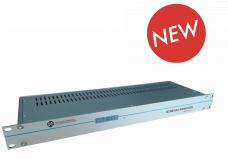 |
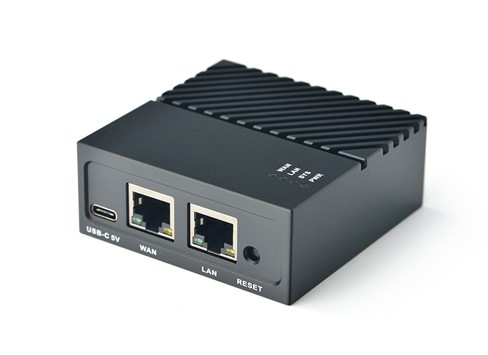 |
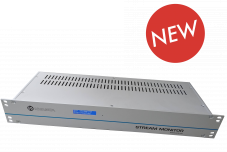 |
|
|
| Base price | 2165.00€ | 1321.00€ | 2339.00€ | 2695.00€ |
|---|---|---|---|---|
| Application | DVB-C/T/T2/S/S2; OTT,IPTV,TSoIP | OTT,IPTV,TSoIP | DVB-C/T/T2/S/S2; OTT,IPTV,TSoIP | DVB-C/T/T2/S/S2; OTT,IPTV,TSoIP |
| Add-On Tuner Boards (optional) | 2/4/8 Tuners DVB-C/T/T2/S/S2,ISDB-T | 2/4/8 Tuners DVB-C/T/T2/S/S2,ISDB-T | ||
| RF Monitoring (Level/CNR/MER/BER) | ||||
| TSoIP Monitoring | up to 50 streams or 1Gb* | up to 100 streams or 1Gb | up to 500 streams or 10Gb* | up to 500 streams or 10Gb* |
| E-mails/SNMP alarms | ||||
| 10Gb add-on (optional) | ||||
| Mosaic/Multiview | ||||
| Advanced Mpeg Monitoring | ||||
| Alarm profiles | ||||
| Box | 1U | 70x30x70mm | 1.5U/1U* | 1.5U/1U* |
| *Depends on the software/hardware options applied. | ||||
Sign in to open live demo devices
Demo devices are available to registered customers. Registration is free.
Sign in / Register freeSign in to download manuals and brochures
Product downloads are available to registered customers. Registration is free.
Sign in / Register free


